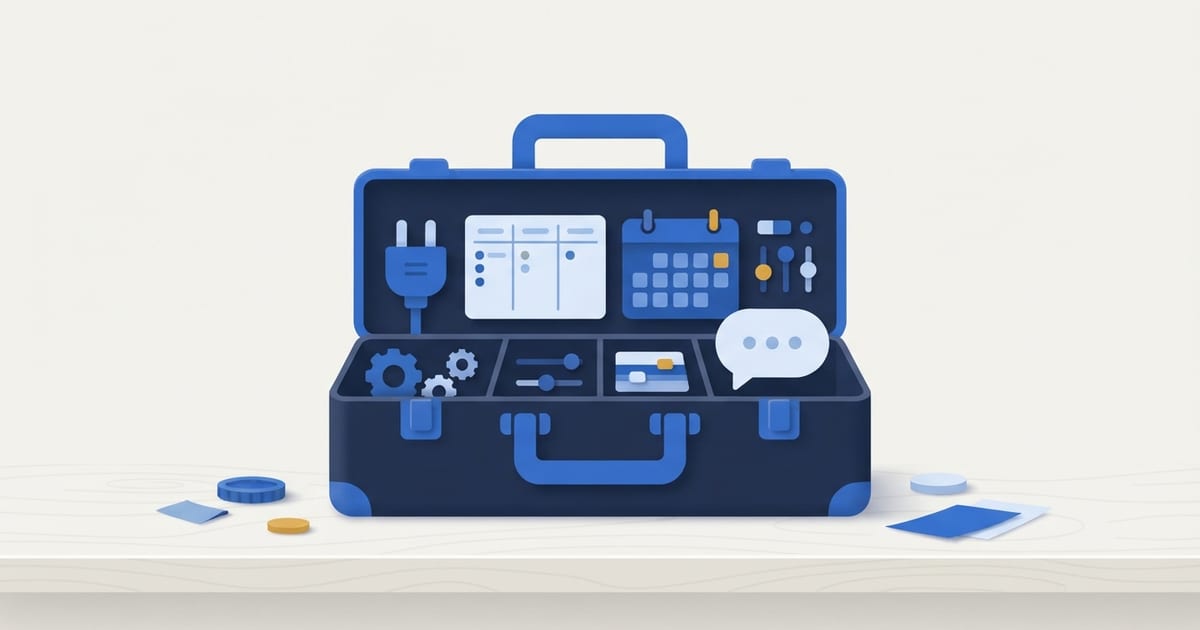
Most small businesses need fewer automation tools than they think. Start with the automation built into software you already pay for, such as QuickBooks, your scheduling tool, or your project board. Add a connector like Zapier or Make only for the gaps where information has to move between apps, and add AI chat only if inquiries arrive faster than you can answer them. Choose each tool for the specific job it needs to do, not for its feature list.
What Counts as a Workflow Automation Tool?
A workflow automation tool is any software that handles a step of your process without someone doing it by hand. Almost all of them work the same way: something happens (the trigger), and the tool responds (the action). A form is submitted, so a contact is created. An invoice goes past due, so a reminder goes out.
Automation is not just for large companies. Most of these tools are affordable subscriptions, and many useful automations are already sitting in software you pay for and have never turned on. The payoff is less retyping, fewer forgotten steps, fewer data entry errors, and faster responses to customers.
What Are the Main Types of Automation Tools?
There are about seven kinds, and each is good at a different job.
| Tool type | Examples | Good for | Watch out for |
|---|---|---|---|
| Connectors | Zapier, Make, Microsoft Power Automate, IFTTT | Moving information between apps that do not talk to each other, such as a form entry into your CRM | Each automation is one more thing to maintain, and it can fail quietly when an app or login changes |
| Project and workflow boards | Trello, Asana | Making work visible, handing jobs between people, and moving cards automatically as stages finish | Only works if the team keeps the board current |
| Accounting automation | QuickBooks Online | Bank feeds and rules, recurring invoices, payment reminders, and online invoice payments | Rules can miscategorize, so the books still need a monthly review |
| CRM and email marketing | HubSpot, Salesforce, email marketing platforms | Lead follow-up tasks, welcome and onboarding emails, and tracking deals through a pipeline | More system than you need if leads are few and one person handles them |
| Forms and scheduling | Calendly, Google Forms, Jotform | Collecting the same details every time and booking appointments without back-and-forth emails | Adds another place data lives unless it feeds where the work happens |
| Social media scheduling | Buffer, Hootsuite | Posting consistently across platforms from one place | Schedules posts, but does not write them |
| AI chat | Website chat assistants | Answering common questions after hours, qualifying leads, and booking appointments | Needs accurate information and a clear handoff to a person |
Most rows are software you may already own. Before buying anything new, check what your current tools can do.
How Do You Decide Which Tools You Actually Need?
Start with the process, not the tool. A tool chosen before you know its job usually becomes another login nobody uses. This is the order I would work in:
- Audit the repetitive work. For a week or two, list the tasks that happen over and over: entering leads, sending quotes, chasing invoices, scheduling. Our guide to what business processes you should automate covers the usual candidates.
- Mark where things break. Look for information typed twice, handoffs that depend on memory, and places where a customer waits on you.
- Check what you already have. Your accounting software, CRM, or project board may already do the step.
- Start small. Build one or two automations, not ten, starting with the ones that save the most time.
- Measure the result. Compare how long the task took, how often something was missed, and how quickly customers heard back.
- Scale gradually. Add the next automation once the first has run cleanly for a few weeks.
Should You Use Built-In Automation or a Tool Like Zapier?
Use built-in automation first, and a connector for what is left. Automation inside an app is usually more reliable because it does not depend on two systems staying in sync, and it is one less subscription to manage.
QuickBooks Online is a good example. Bank feeds bring transactions in, bank rules categorize the recurring ones, recurring invoices go out on schedule, and payment reminders chase overdue invoices without anyone writing an email. Our QuickBooks Online automation guide walks through each one.
Connectors fill the gaps between apps. Zapier is the most common choice for small businesses because it connects thousands of apps without code. Make does the same job with a visual builder that handles more complex branching. Microsoft Power Automate fits best if you already run on Microsoft 365. IFTTT is the simplest and suits basic, single-step tasks more than business workflows. For examples, see how small businesses use Zapier for automation.
One rule of thumb: if you keep building connectors to make up for something your main software should do, it may be time to change the main software.
Where Do Trello and Project Boards Fit?
A project board is where the work itself lives, so it is often the hub other automations feed into. Trello, Asana, and similar tools show every job or order as a card moving through stages, which makes it obvious what is stuck and who owns it.
Boards also automate on their own. Trello's built-in automation can move a card when a checklist is complete, assign a person when a card enters a list, and set due dates. Add a connector, and a new form submission can create a card without anyone typing it in.
To see whether a board fits your business, start with how small businesses use Trello for workflows, then read what a proper Trello setup looks like.
When Is AI Chat Worth Adding?
AI chat is worth it when customer questions or new leads arrive faster than you can answer them, especially after hours. A website chat assistant can answer common questions from your own information, collect a lead's details, and book an appointment or hand the conversation to a person.
It is not worth it if you get a few inquiries a week and already answer them quickly. Automation should make you faster to respond, not harder to reach. Our AI chat for business page explains how we set these up.
What Does a Simple Starting Setup Look Like?
Here is a hypothetical example for a service business that books jobs, does the work, and bills afterward. It uses three or four tools and no code.
- Intake: a booking link collects the same details every time, puts the appointment on the calendar, and sends a confirmation and reminder.
- Handoff: a connector creates a board card for each new booking, so the team can see the job.
- Billing: QuickBooks sends the invoice when the job is done and follows up if it goes unpaid.
- Follow-up: a scheduled reminder prompts a check-in or review request after the job.
Each piece removes a manual step, and each can be added on its own.
What Mistakes Should You Avoid?
- Automating a broken process. If the steps are unclear by hand, automation just makes the confusion faster. Fix the process first.
- Buying tools before defining the job. Every tool adds a login, a subscription, and another place data can live. Our list of the best tools for small business operations is a good reference for a lean setup.
- Over-automating the customer relationship. Reminders are welcome. A canned reply to a frustrated customer is not.
- Not training the team. If people do not know an automation exists, they work around it or duplicate it.
- Setting it and forgetting it. Automations fail quietly when a password changes or an app updates. Someone needs to check them.
Frequently Asked Questions
What is the easiest automation tool for a small business to start with?
Usually one you already own. Turning on payment reminders in QuickBooks, or sharing a scheduling link instead of trading emails, takes minutes. For connecting apps, Zapier is the most common starting point because it needs no code.
Is Zapier or Make better for a small business?
Both connect apps with triggers and actions. Zapier is generally quicker to learn, while Make handles more complex logic. Choose the one that supports your apps and that the person maintaining it finds easier.
Do I need a CRM to automate follow-up?
Not always. With a handful of leads a week, a form that feeds a board or shared inbox with a reminder can be enough. A CRM earns its place when leads start slipping through or more than one person is selling.
Who should maintain automations in a small business?
One named person should know what each automation does, which accounts it runs on, and whether it still works. Without an owner, a broken automation often goes unnoticed until something falls through the cracks.
If you want help choosing the right tools, or want someone to set up and look after the automations, that is what our workflow automation work covers. Let's talk. We work with small businesses across Long Island and remotely.
Free download, no email required
Automation Audit Scorecard
Score your recurring tasks by cost, readiness, and effort to see what to automate first and what to standardize before automating.
How to use it