Client video meetings
Pinstripe Talk: Private Video Meetings Inside Your Client Portal
Pinstripe Talk is how Pinstripe clients meet with us by video. When we confirm a consultation, a Join button appears in your client workspace. Select it from your browser and the call opens, with no Zoom account, meeting link, or extra app.
- Where you join
- Your web browser, from the Pinstripe client portal
- Account needed
- The Pinstripe login you already have
- Who is on the call
- You and your Pinstripe host
- Cost
- Included with your Pinstripe engagement
See it on every screen
What does a Pinstripe Talk call look like?
A Pinstripe Talk call is a two-person video meeting between you and your Pinstripe host, with chat and screen sharing built in. Switch between the views below to see it on a desktop, a tablet, and a phone.
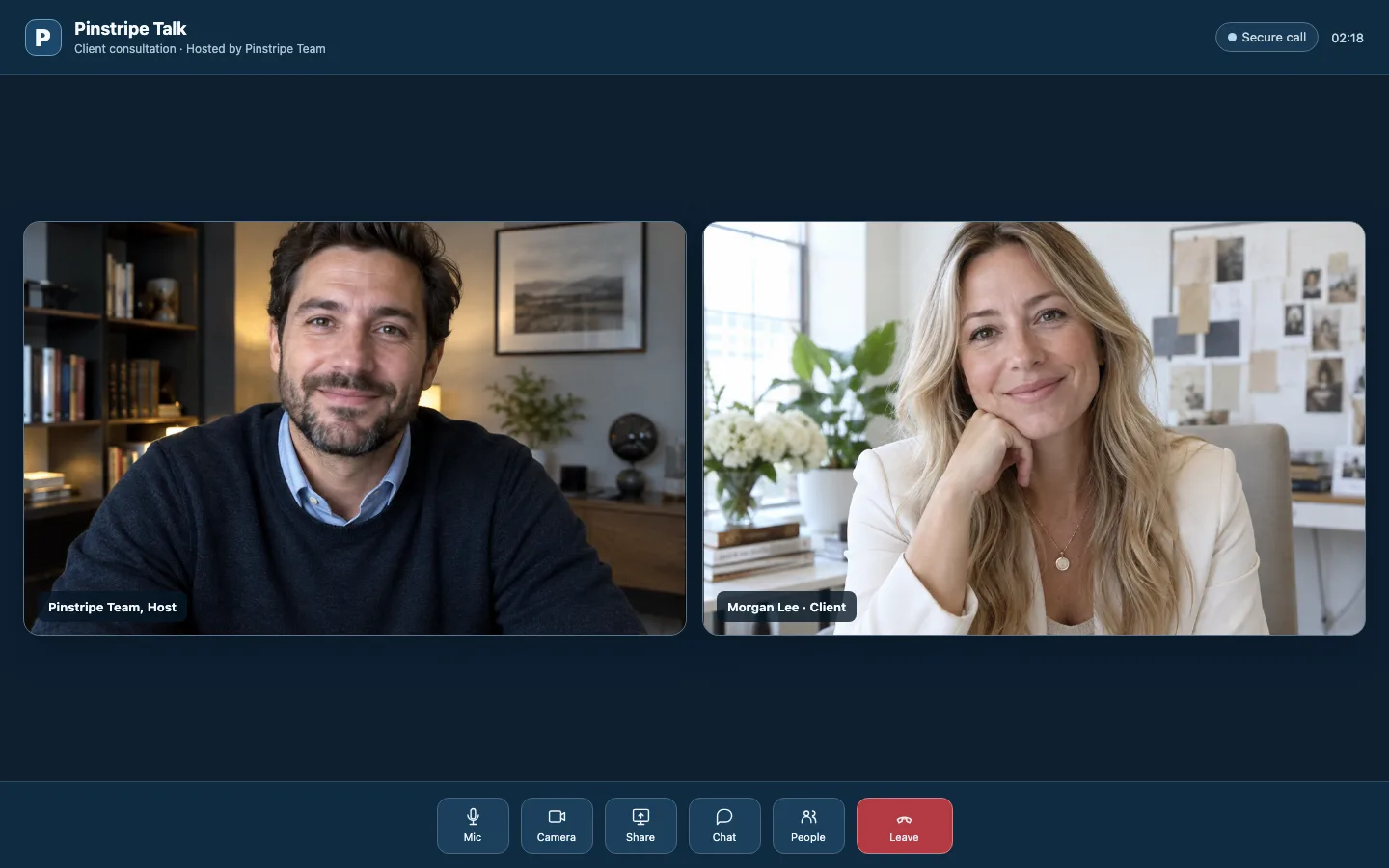
Illustrative views with fictional participants. Controls can differ by device, call permissions, and the final iOS release.
What Can You Do in a Pinstripe Talk Meeting?
Everything a client meeting needs, and nothing that turns it into another platform to manage.
Video and audio
Talk face to face with your Pinstripe host. Your camera and microphone start on, and you can turn either off at any point in the call.
Screen sharing
Walk through a report, a QuickBooks screen, or a website draft together instead of describing it over email.
In-call chat
Drop a link, an account name, or a note into the chat without interrupting the conversation.
Add to calendar
Once we confirm a time, save the meeting to your own calendar so it sits next to the rest of your week.
Recording only when disclosed
Recording and transcription are off unless we turn them on for a specific session, and you are told before you join.
Private to your engagement
Each call is tied to a confirmed consultation. Only you, signed in to your workspace, and your Pinstripe host can join it.
How Do You Join a Pinstripe Talk Call?
You join from the consultation in your client portal. It takes four steps, and only the first one happens before the day of the call.
Book a consultation
Request a consultation time from the Pinstripe Talk tab in your client portal, or book a fit call if you are not a client yet.
We confirm a time
When we confirm, the meeting appears on your consultation with a Join Pinstripe Talk button. Add it to your calendar from there.
Sign in and join
At the meeting time, sign in, open the Pinstripe Talk tab, and select Join Pinstripe Talk on your consultation.
Allow your camera and microphone
Your browser asks for permission the first time. Allow both and the call opens.
How Is Pinstripe Talk Different From Zoom or Teams?
General meeting apps are built for any call with anyone. Pinstripe Talk is built for one thing: your scheduled conversations with us, kept in the same place as the rest of the work.
| Feature | Pinstripe Talk | A general meeting app |
|---|---|---|
| Account | Your existing Pinstripe login | A separate account, app, or guest link |
| Where the invitation lives | On the consultation, next to your documents and messages | In an email or calendar invite |
| Who can join | Only the invited client, signed in, and the Pinstripe host | Usually anyone with the link, unless the host adds a passcode |
| Recording | Decided per session and disclosed before you join | Depends on the host's account settings |
| Built for | Scheduled Pinstripe client conversations | Any meeting with anyone |
Why We Built Pinstripe Talk
Meeting with your bookkeeper or consultant should not start with a hunt for the right link. Before Talk, a client call meant an invite in one inbox, a meeting app on a different account, and follow-up notes in a third place. We wanted the invitation, the call, and the follow-up to live next to your documents and messages.
Talk is deliberately narrow. It is for scheduled conversations between you and Pinstripe, not a video platform for your whole company, and it does not replace the meeting tools your team already uses with other people. Calls work in any web browser today, and our iPhone and iPad app, which is being prepared for the App Store, joins the same calls natively.
Want to see what the rest of the client workspace includes? Read about Pinstripe Sync, where you share documents with us, Pinstripe Ledger, your monthly business snapshot, and Pinstripe Close, the month-end tracker, or how we work with clients from the first call on.
Frequently Asked Questions
Ready to Meet?
Clients can join a confirmed call from the portal. Not a client yet? Book a 30-minute fit call and we will talk through your books, systems, or website.