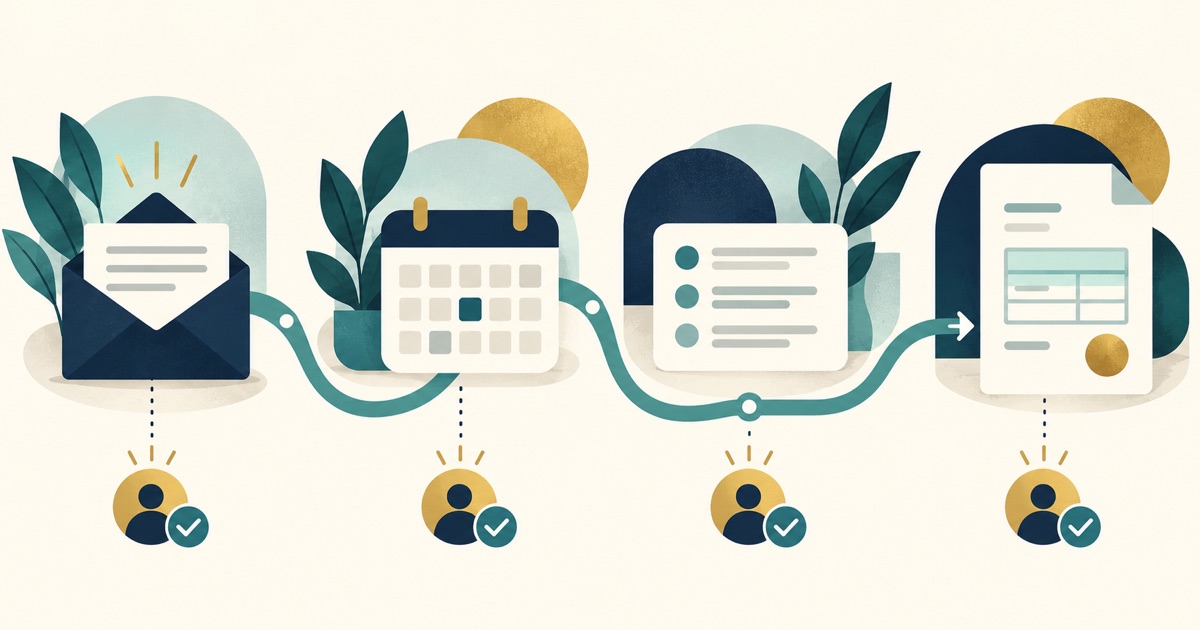
A new business should automate the few handoffs that protect a customer's first experience: capturing an inquiry, acknowledging it, scheduling or assigning the next step, and recording the outcome. Start with a process you can explain on paper. Then automate the repetitive transfer of information while keeping a person responsible for judgment, exceptions, and the actual customer relationship.
Which launch workflow should you automate first?
Start where a missed handoff would cost a real opportunity. For most service businesses, that is the inquiry path. A form submission or call should create a record, reach the right person, and trigger a timely acknowledgement. The owner should be able to see which inquiries still need a response.
This is more specific than a general list of business processes to automate. At launch, volume may be low and the process is still changing. One reliable path is more useful than a web of rules that nobody has tested. If your website is still being built, plan the contact fields with the website lead guide before wiring them into other tools.
What are the four useful automations before opening?
These four are a starting menu, not a requirement to install four apps. Each can be done with simple tools if someone owns the process.
| Handoff | Useful automatic action | Human checkpoint |
|---|---|---|
| New inquiry | Create a record and alert the person responsible. | Review context and send a real answer. |
| Acknowledgement | Confirm receipt and set an honest response expectation. | Follow through within that window. |
| Appointment or estimate | Send a confirmation and keep the status visible. | Check scope, availability, and fit. |
| Invoice and payment | Move approved details into the billing workflow. | Review amount, terms, and completion before sending. |
Do not automate promises your team cannot meet. An instant message saying “we will call in an hour” creates a worse experience if nobody is assigned to call. Use the language and response time you can maintain on a busy day.
For a business opening with a small team, assign one backup for each handoff. If the owner is on a job site, who sees a new inquiry? If an appointment is moved, who updates the customer and the calendar? Put those answers in the workflow before adding reminders. This keeps automation from becoming a way to hide unclear responsibilities.
How do you design an automation that does not lose leads?
Write the path before choosing software. Name the event that starts it, the information needed, the destination, the owner, and what happens when it fails. A useful sketch is “new form submission → contact record → owner alert → acknowledgement → response due.” Then test it with an actual form submission and an email address you control.
- Capture only useful fields. Name, contact method, and a short description are often enough to start. More fields can wait until qualification.
- Choose one source of truth. Decide where the current status lives so a spreadsheet and inbox do not disagree.
- Assign an owner. Every inquiry needs a person, even if routing is automatic.
- Plan an exception. Duplicate contacts, missing phone numbers, and out-of-area requests need a sensible path.
- Run a weekly review. Check unanswered inquiries and whether the automation still reflects the real process.
Our automation service focuses on that process first, then on the integrations that make it dependable. If you are choosing tools, the guide to small business operations tools gives useful context, but the workflow should decide the stack.
When should a person stay in the loop?
Keep a person in the loop when the action changes a customer promise, price, scope, or financial record. Automation is good at copying approved information and reminding someone to act. It is less dependable as the final decision maker when a request is unusual or the details are incomplete.
A simple example: a website form can route “I need weekly cleaning” to the right inbox and confirm receipt. A person should still assess the property, schedule, and quote. An invoice can be drafted from approved work details, but a person should verify the amount before it goes out. These checkpoints make the system trustworthy.
How do you know whether the setup is working?
Measure the process in a way you can act on. Track how many inquiries arrive, how long the first useful response takes, how many remain unassigned, and where an estimate or booking stalls. You do not need a complicated dashboard; a weekly review of a short list can reveal missing handoffs.
Test from the customer's side on a phone as well as a desktop. Submit the form, read the confirmation, and see whether the promised next step actually happens. If the workflow is confusing to you, it will be confusing to a customer.
Keep a short record of failures during the first month: messages routed to the wrong inbox, duplicate records, missing fields, or estimates waiting for approval. Review the cause, correct the process, and then adjust the rule. A workflow that runs without errors but sends the wrong message is still a broken workflow. Ask a teammate to run the test too; a fresh set of eyes often catches assumptions the builder misses.
What changes after the business starts growing?
Volume exposes the parts that are still manual, and some manual work is appropriate. Add the next automation when the same task repeats, the rules are stable, and the owner can explain what should happen. Review the workflow after a change in services, team roles, or pricing.
Automation also depends on the operating model around it. Our article on building a first or second business with Pinstripe explains how the website, workflow, and financial habits fit together. If the path from inquiry to payment is hard to see, talk with Pinstripe and we can map the first useful improvement.
Frequently Asked Questions
Do I need automation before I have customers?
You need a reliable process before customers arrive. A small amount of automation can help protect inquiry and follow-up handoffs, but you can add more after the process is proven.
Should I use AI to answer every new inquiry?
No. A useful assistant can handle routine questions, but a person should review requests that involve scope, pricing, unusual needs, or a customer promise.
What if my tools do not connect directly?
Start with the process and a dependable manual handoff. An integration is worthwhile when it reduces a repeated error or delay and can be tested and maintained.
How often should I review an automation?
Review new workflows weekly at first, especially unanswered inquiries and failed transfers. Recheck them when your services, team, forms, or billing process changes.
Free download, no email required
Automation Audit Scorecard
Score your recurring tasks by cost, readiness, and effort to see what to automate first and what to standardize before automating.
How to use it